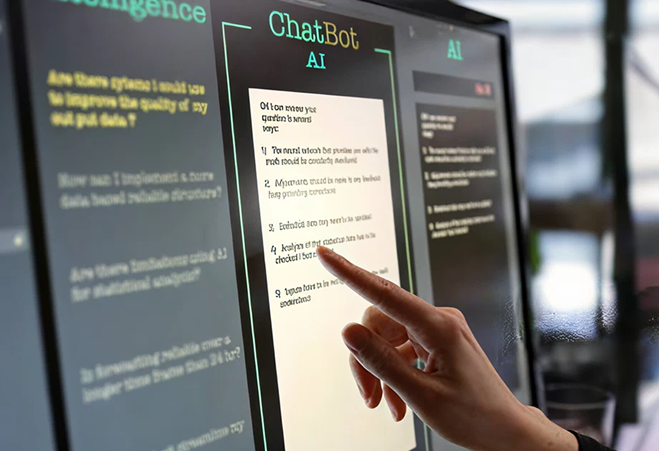
ChatGPT Capture Integration

The Arctera ChatGPT connector is an API-based integration that captures, preserves, and supervises ChatGPT Enterprise interactions, including user prompts, AI responses, and uploaded files, for regulatory compliance, audit, and eDiscovery. It is designed for compliance, legal, and IT teams that require a complete and reviewable record of AI-assisted activity.
Request a Demo
/content/eds-arctera/contact-us

What Is the Arctera ChatGPT Integration?

The Arctera ChatGPT capture integration uses OpenAI APIs to retrieve and standardize conversation data from ChatGPT Enterprise environments. It performs scheduled API-based collection, capturing prompts, responses, and uploaded files, and transforms them into complete, archive-ready records for supervision, retention, and discovery.

Within the Arctera Unified Platform, these records preserve interaction context and content, enabling compliance, legal, and IT teams to maintain consistent, defensible records of AI-assisted activity across environments without duplication or reprocessing.

t-body

Technical Specifications

The following technical details summarize how the Arctera ChatGPT connector operates within enterprise environments and how AI interaction data is collected, processed, and delivered for governance workflows.

t-b-s
  1. Attribute

    1. Integration Type
    2. Data Ingestion Method
    3. Authentication Method
    4. Deployment Model
    5. Archive Destination
    6. Supported Editions
    7. Captured Scope Summary
    8. Policy Enforcement Stage
    9. Regulatory Alignment
  2. Detail

    1. API-based integration using OpenAI API and Workspace ID
    2. Scheduled API-based collection runs
    3. API key with verified read scope and Workspace ID
    4. Private cloud or self-hosted Capture deployment
    5. Configured archive target within Arctera Unified Platform
    6. ChatGPT Enterprise
    7. Prompts, responses, uploaded files, and conversation structure
    8. Applied during Capture processing before archive delivery
    9. Supports enterprise compliance, audit, and legal workflows
What the ChatGPT Connector Captures

check-circle: User Prompts: Captures user-submitted prompts within ChatGPT conversations for review and analysis.

check-circle: AI Responses: Captures generated responses from ChatGPT, preserving output content for governance workflows.

check-circle: User-Uploaded Files: Captures files uploaded by users during conversations when available and active.

check-circle: Conversation Threading: Preserves conversation structure to maintain context across prompts and responses.

check-circle: Formatted Output Records: Provides threaded or non-threaded output formats for downstream review workflows

How the ChatGPT Connector Works

The ChatGPT connector operates as a scheduled ingestion pipeline that retrieves conversation data from ChatGPT Enterprise, normalizes interaction records, and delivers them into the Arctera Unified Platform archive for supervision, retention, and eDiscovery workflows.

t-b-s
Step 1: API Key and Workspace Configuration
Create an OpenAI API key and obtain the ChatGPT Workspace ID. Verify the API key and ensure it has read scope before configuring the connector.
Step 2: Authentication and Connection Setup
Enter the API key and Workspace ID into the Capture collector configuration. Establish secure API-based access to retrieve ChatGPT conversation data.
Step 3: Scheduled API Data Collection
Capture executes scheduled API collection runs to retrieve prompts, responses, and uploaded files from ChatGPT Enterprise without interacting with live user sessions.
Step 4: Normalization and Formatting
Transform prompts, responses, and associated files into standardized, archive-ready formats. Apply threading and formatting options to preserve conversation structure.
Step 5: Policy Processing and Archive Delivery
Apply policy identifiers and metadata, then deliver normalized records to the configured archive target within the Arctera Unified Platform.

Supported Environments

The ChatGPT integration operates across ChatGPT Enterprise cloud environments and Capture deployments within private or self-hosted infrastructure.

t-b-s
small,bright,shadow

ChatGPT Enterprise Cloud Environment

The integration connects to ChatGPT Enterprise using API-based access and retrieves conversation data including prompts, responses, and uploaded files. Data availability depends on API access and workspace configuration.

Private Cloud and Self-Hosted Capture Deployment

Capture is deployed within a private cloud or self-hosted environment. It securely connects to ChatGPT Enterprise, performs scheduled ingestion, and processes data before delivering it to the configured archive target.

Compliance & Regulatory Use Cases
t-b-s
event-one,no-badge,no-location,no-datetime

Retain ChatGPT interactions for compliance oversight

Compliance and Risk Teams

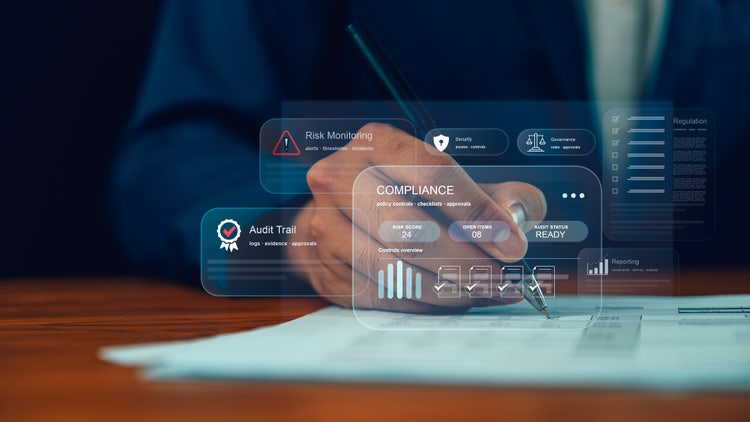
When employees use ChatGPT for business purposes, the Arctera ChatGPT connector captures prompts, responses, and uploaded files and preserves them in the Arctera Unified Platform. Teams can retain AI interactions and maintain a complete record for supervision and compliance review.

alt

Investigate AI-assisted decision-making

Compliance, Legal, and Risk Teams

When reviewing how AI was used in business workflows, the Arctera ChatGPT connector captures conversation data including prompts and responses. Teams can reconstruct interactions and analyze how outputs were generated, resulting in more transparent investigations.

alt

Apply legal hold and eDiscovery to AI content

Legal and eDiscovery Teams

When AI-generated content is subject to legal review, the Arctera ChatGPT connector captures prompts, responses, and uploaded files and preserves them in the archive. Legal teams can search, hold, and produce records for eDiscovery workflows.

alt

Provide audit visibility into AI usage

Compliance and Audit Teams

When organizations need to demonstrate oversight of AI usage, the Arctera ChatGPT connector captures interaction records and preserves conversation context. Teams can provide a reviewable record of AI-assisted activity for audit and regulatory inquiries.

alt

Frequently Asked Questions

t-b-s
What ChatGPT content does the integration capture?
The integration captures user prompts, AI-generated responses, and user-uploaded files from ChatGPT Enterprise conversations. It preserves conversation structure and can represent data with or without threading. Expired uploaded files and files generated as outputs of AI responses are not captured. This ensures a clear and consistent record of user interactions and AI-generated content.
Does the integration capture ChatGPT data in real time?
No. The integration uses scheduled API-based collection to retrieve conversation data after it is available through the ChatGPT Enterprise API. It does not intercept or monitor live user sessions. This approach ensures that capture does not impact user experience or system performance.
Data is available after scheduled collection runs retrieve it from the API. Timing depends on the configured ingestion schedule and API availability. Once retrieved, the data is normalized and delivered to the archive where it is immediately available for supervision and review workflows.How quickly is ChatGPT data available in the archive?
Data is available after scheduled collection runs retrieve it from the API. Timing depends on the configured ingestion schedule and API availability. Once retrieved, the data is normalized and delivered to the archive where it is immediately available for supervision and review workflows.
How is access to ChatGPT data secured?
Access is configured using an OpenAI API key and ChatGPT Workspace ID. The API key must be verified and granted read scope before use. Secure handling of credentials ensures controlled access to conversation data without requiring user-level credentials
How does Arctera Capture support compliance and audits?
The integration preserves prompts, responses, and uploaded files as normalized records within the archive. These records can be retained, reviewed, and produced for audits, investigations, and legal workflows. This provides a clear record of how AI was used in business processes.
How is the connector deployed?
The connector is configured in Capture using an API key and Workspace ID. Once configured, scheduled collection runs retrieve data, normalize it, and deliver it to the archive target. Deployment occurs within private or self-hosted Capture environments.
How does this differ from native ChatGPT retention?
ChatGPT retains data within its platform. The Arctera integration retrieves conversation data, normalizes it, and delivers it to a centralized archive. This enables consistent supervision, retention, and eDiscovery across ChatGPT and other communication channels.

See How ChatGPT Capture Works in Your Environment

Capture ChatGPT prompts, responses, and uploaded files as normalized, archive-ready records for supervision, retention, and eDiscovery.
Request a Demo
/content/eds-arctera/contact-us

Read Our Compliance Blogs

t-b-s
eds-arctera:tags/data-compliance